
How Do I Manually Update the App?
- Close the Wellsite App
- Right click on Wellsite App desktop shortcut icon
- Click on “Open File Location”
- Search for “maintenancetool.exe” file
- Double click on “maintenancetool.exe” file
- Wait until below screen appears
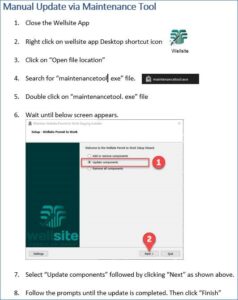
- Select “Update Components” and then click “Next”
- Follow the prompts until the update is completed and then click “Finish”.