NEW PERMIT REPORTS IN WELLSITE DIGITAL ADMINISTRATION
SYSTEM (DAS)
This guide provides a step-by-step instructions for viewing and downloading permit pack and Permit Audit
Trail report directly from Wellsite Digital Administration System (DAS).
1. Login to DAS.
If you are a registered user as the key role of your organisation, but have not used the DAS
previously, follow below step to access DAS:
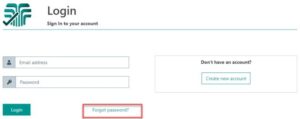
a. Go to DAS login page https://wellsite.i-nex.com.au/login and click “Forgot password”
2. Reset password
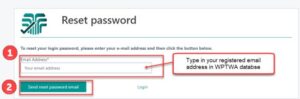
2. Password reset email notification will be sent to provide email address. If your email address has
been changed since your initial registration, please contact WPTWA Admin ([email protected])
or [email protected]
3. Click the link in the email
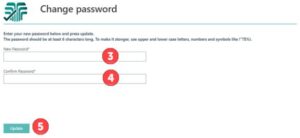
4. Enter new password. It must be minimum 6 digits and recommended to have one of special
characters (!, @, $, #)
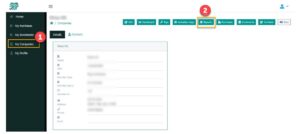
5. Once you have logged in to DAS. Click on “MY Companies” followed by clicking “Reports”
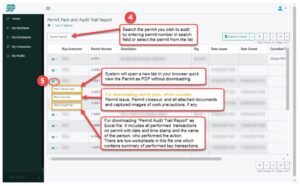
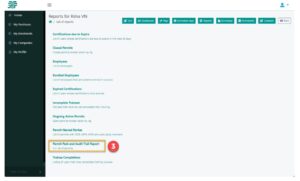
 6. Select “Permit Pack and Audit Trail Report” from reports list
7. Select the desired permit followed by the report type as shown